
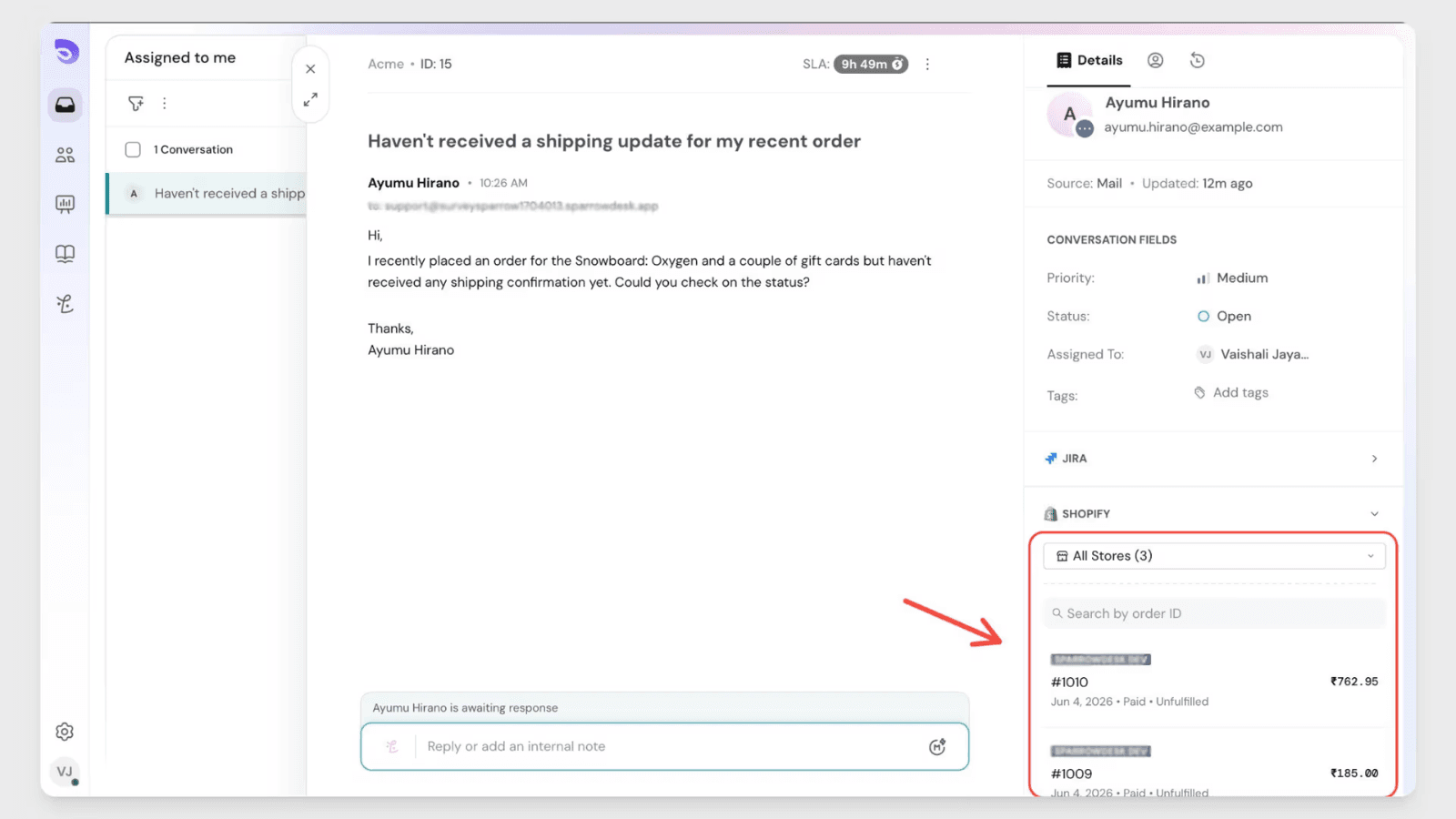
See every customer's Shopify order history right inside SparrowDesk, no tab-switching needed.
About this App
Shopify is the commerce platform powering millions of online stores. By connecting Shopify to SparrowDesk, support teams can see a customer's full order history directly in the conversation sidebar — no switching tabs, no copy-pasting order numbers, no leaving the ticket to check what someone bought.
The SparrowDesk × Shopify integration is set up as a custom app, provisioned by our team for your account. Once it's in place, your Shopify stores are listed and ready to connect from inside SparrowDesk. SparrowDesk matches each contact's email against your connected stores and surfaces their orders automatically.
With this integration, teams can:
- See a contact's Shopify order history directly in the conversation sidebar
- View order details without ever switching to Shopify
- Search a contact's orders by order name or numeric ID
- Connect multiple Shopify stores into a single, unified panel
From SparrowDesk, your team can:
- See the Shopify panel appear automatically in every conversation — no toggle required
- View the same orders and search on a contact's profile page
- Open any order in Shopify in a new tab
- Add or disconnect stores independently at any time
App Details:
Developer
SparrowDesk
Category
Ecommerce
Integration Type
Custom app (provisioned by SparrowDesk)
Best for
Support teams running one or more Shopify stores
How to enable this integration
- Request the integration — email our team at [email protected]. We create a custom Shopify app for your account and provision it on our end.
- Once provisioned, in SparrowDesk go to App store and select Shopify.
- Click Connect.
- Your Shopify stores are listed automatically — select the store(s) you want to connect and confirm.
- The Shopify panel is now active in all conversations and on contact pages.
Key features and benefits
- See a contact's Shopify order history right inside the conversation sidebar — no tab-switching
- The panel appears automatically in every conversation, with no toggle to flip
- Orders are matched by the contact's email and sorted with the most recent first
- Each order card shows the order name, amount spent, store name, order date, and a direct link to Shopify
- Search any contact's orders by order name (e.g. #1001) or numeric order ID
- The same panel, order list, and search are available on the contact's profile page
- Connect multiple Shopify stores — orders from all of them appear together in one panel, labelled by store
- Admins and Account Owners control connections; agents can view order details in their conversations
Get started
Follow a step-by-step guide to configure and customize the integration.
Open setup guide