
Connect Okta to manage authentication and access
Install
About this App
Okta is a leading identity and access management solution. By integrating SparrowDesk with Okta, organizations can enable Single Sign-On (SSO) and centralize authentication for secure, seamless access.
This integration simplifies login experiences while ensuring enterprise-grade security and compliance.
With this integration, teams can:
- Enable SSO for all SparrowDesk users
- Centralize authentication through Okta
- Manage user access and permissions efficiently
- Strengthen security across the organization
From Okta, users can view:
- Control user access centrally
- Enforce authentication policies
- Manage roles and permissions
App Details:
Developer
SparrowDesk
Category
Identity & Access Management
Integration Type
SAML-based SSO
Best for
IT, security, and ops teams
How to enable this integration?
- Step 1: Configure SparrowDesk in Okta
- Log in to your Okta Admin Dashboard
- Go to Applications → Browse App Catalog
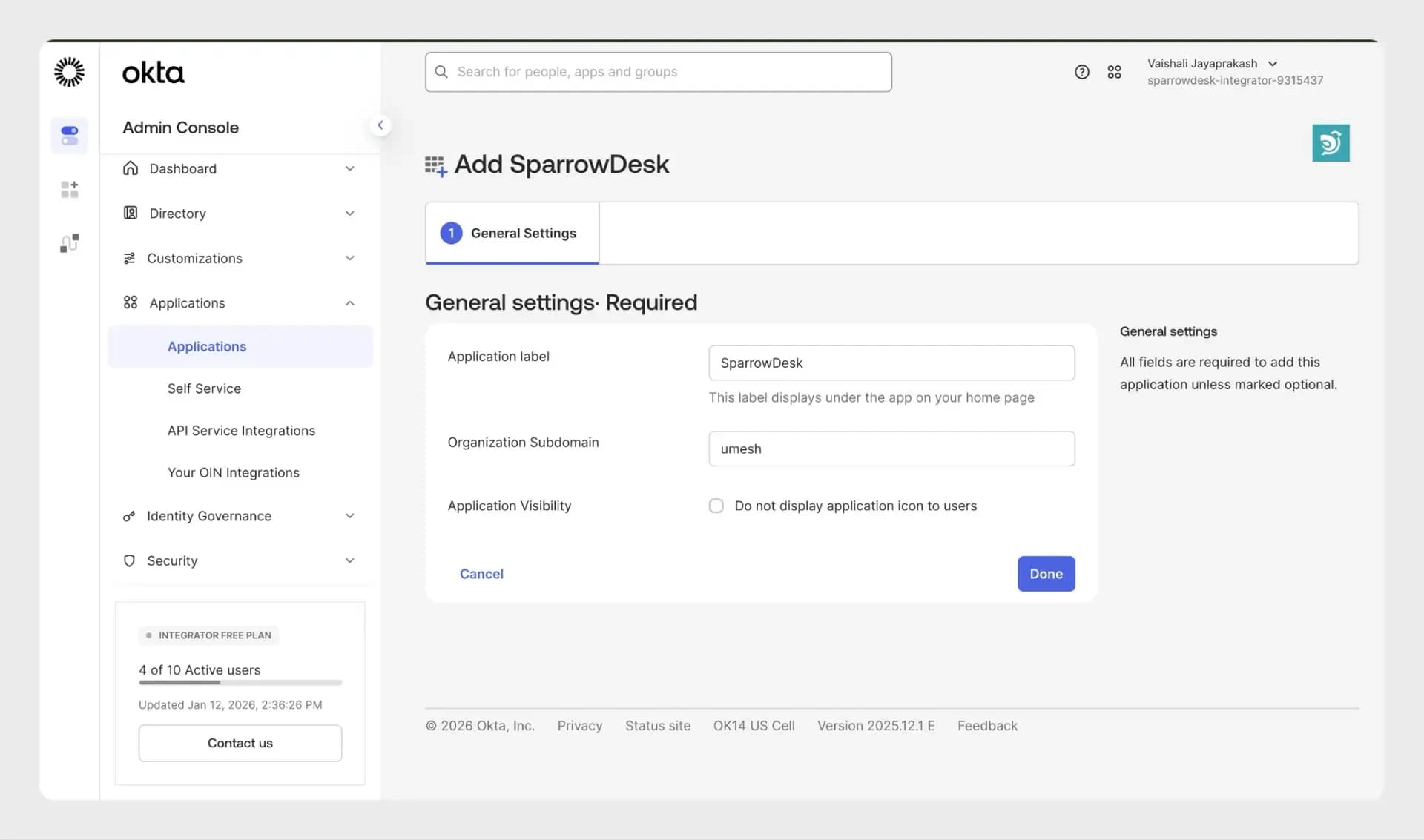
- Search for SparrowDesk and click Add
- Enter your Subdomain (e.g., acme for acme.sparrowdesk.com)
- Click Done
Step 2: Get SSO configuration details
- Navigate to the Sign-on tab in Okta
- Click View setup instructions
- Copy all the SSO configuration details
Important:
When copying the certificate, ensure you:
- Add -----BEGIN CERTIFICATE----- at the top
- Add -----END CERTIFICATE----- at the bottom
- Do not modify the text in between or add extra spaces
Step 3: Complete setup in SparrowDesk
- Log in to SparrowDesk
- Go to Settings → Security → Single Sign-On
- Paste the copied configuration details
Click Update to enable SSO
Key features and benefits
- Simplify login with Single Sign-On (SSO) for seamless access
- Improve security and compliance with centralized authentication
- Reduce password fatigue and login friction for users
- Manage access efficiently with role-based control
- Strengthen security with enterprise-grade authentication systems
Get started
Follow a step-by-step guide to configure and customize the integration.