
Create support tickets directly from Gmail
InstallEmail
About this App
Gmail is where most customer conversations start. The SparrowDesk for Gmail add-on lets support agents turn emails into tickets and track ticket details without ever leaving their inbox.
Install the add-on from Google Workspace Marketplace and connect your SparrowDesk account — agents can immediately start creating tickets from selected emails and viewing status, priority, and assignee right inside Gmail.
With this integration, agents can:
- Create a SparrowDesk ticket from any selected email in Gmail
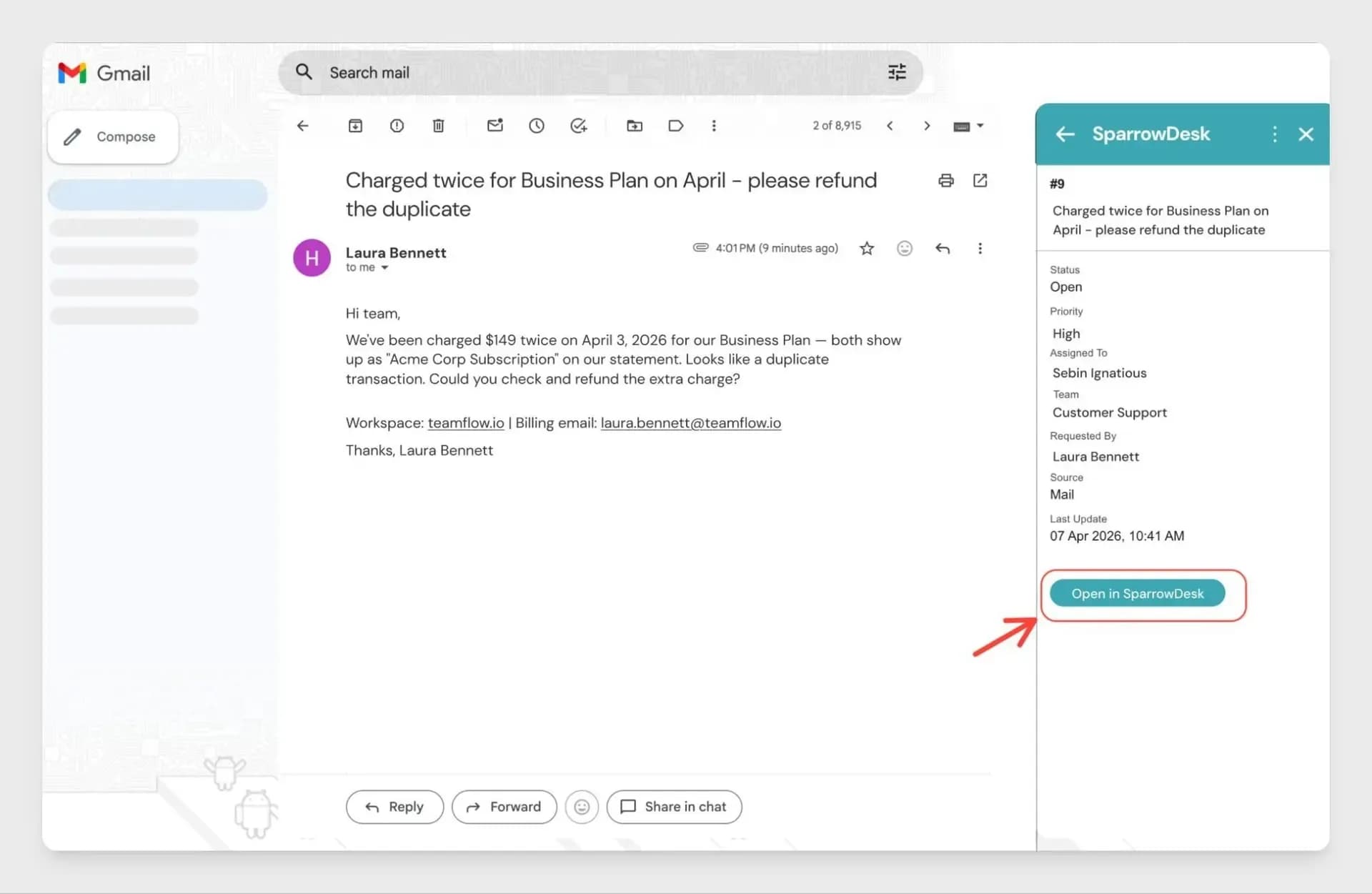
- View ticket status, priority, and assignee inside Gmail
- Stay updated on tickets without switching to a separate tab
- Manage email-based support requests directly from their inbox
From Gmail, agents can view:
- Ticket ID and status
- Priority and assignee
- Any custom fields configured for your account
- All ticket details without opening SparrowDesk separately
Developer
SparrowDesk
Category
Integration Type
Google Workspace Add-on
Best for
Teams managing customer support through Gmail
How to enable this integration?
- Visit Google Workspace Marketplace and search for SparrowDesk for Gmail
- Click Install and complete the installation
- Open Gmail and click the SparrowDesk icon in the right-side panel
- Click Connect and complete the sign-in flow
- Click Refresh inside the add-on panel once connected
Key features and benefits
- Turn customer emails into support tickets without leaving Gmail
- View ticket status, priority, and assignee right inside your inbox
- Eliminate tab switching for agents who primarily work from email
- Keep SparrowDesk as the source of truth — tickets are tracked there automatically
- Works with custom fields configured for your SparrowDesk account
Get started
Follow a step-by-step guide to install and connect the add-on.