
Create and link Linear issues directly from your support tickets
Install
About this App
Linear is the project management tool used by engineering teams to track bugs, feature requests, and product work with speed and precision. By integrating SparrowDesk with Linear, support and engineering teams can stay in sync — without switching tools.
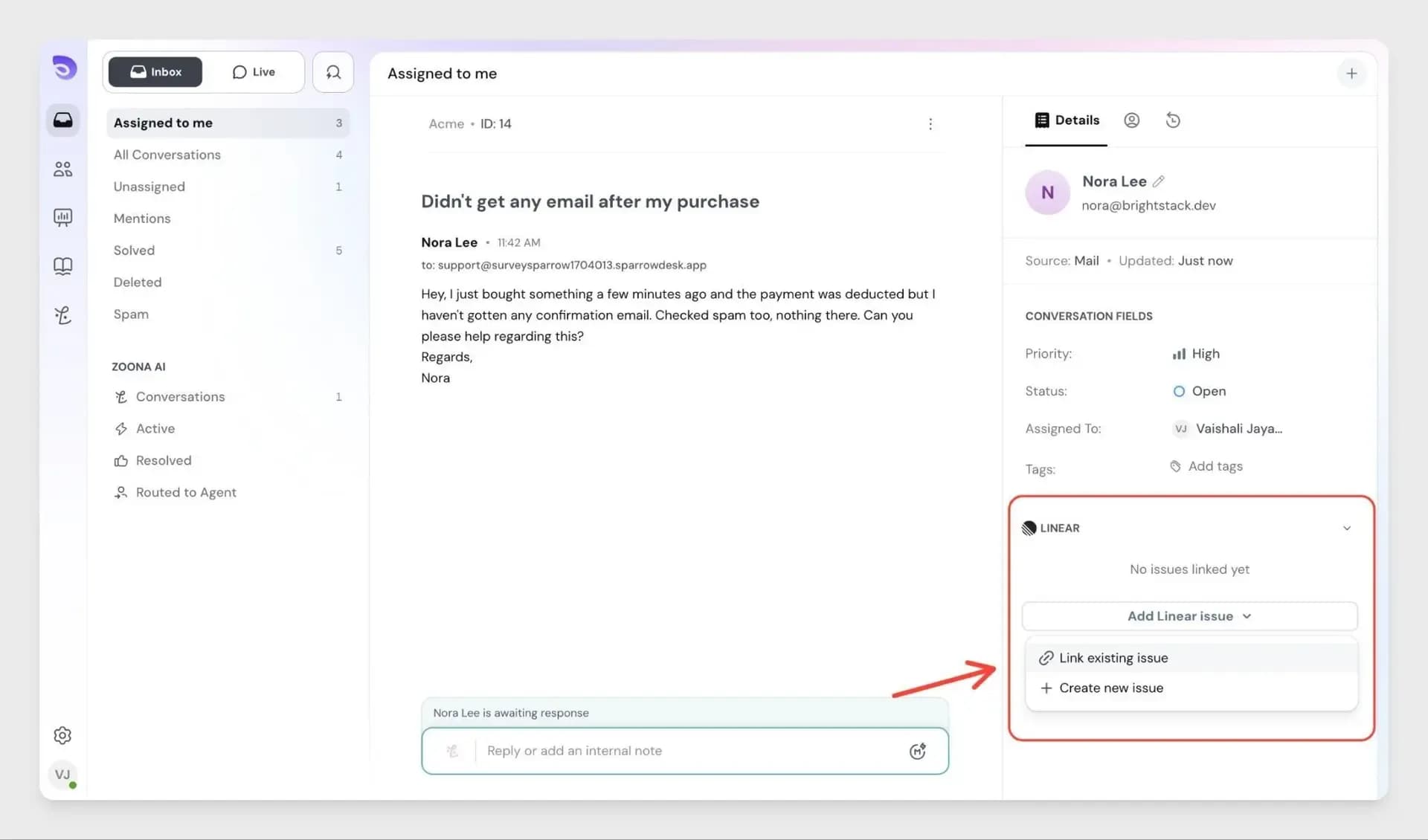
The Linear–SparrowDesk integration lets agents create new Linear issues or link existing ones directly from any support ticket, so bugs and product requests reach the right team instantly- with full context.
With this integration, agents can:
- Create a new Linear issue from any SparrowDesk ticket
- Link existing Linear issues to a customer conversation
- Link multiple Linear issues to the same support ticket
- View all linked Linear issues inside SparrowDesk
From SparrowDesk, agents can view:
- Linked Linear issue ID and title
- The current status of the linked issue
- A direct link to open the issue in Linear
- Multiple linked issues per conversation
Developer
SparrowDesk
Category
Project Management
Integration Type
Native
Best for
Support + Engineering alignment
How to enable this integration?
- Go to Settings in SparrowDesk and open the App Store
- Find Linear in the list and click Connect Linear
- Sign in with your Linear account
- Authorise SparrowDesk to access your Linear workspace
Key features and benefits
- Let agents escalate bugs to engineering without leaving SparrowDesk
- Give developers full customer context alongside every Linear issue
- Link multiple Linear issues to a single support ticket when needed
- Reduce context switching between support and engineering tools
- Keep SparrowDesk as the source of truth for all customer conversations
Get started
Follow a step-by-step guide to connect and start using the integration.