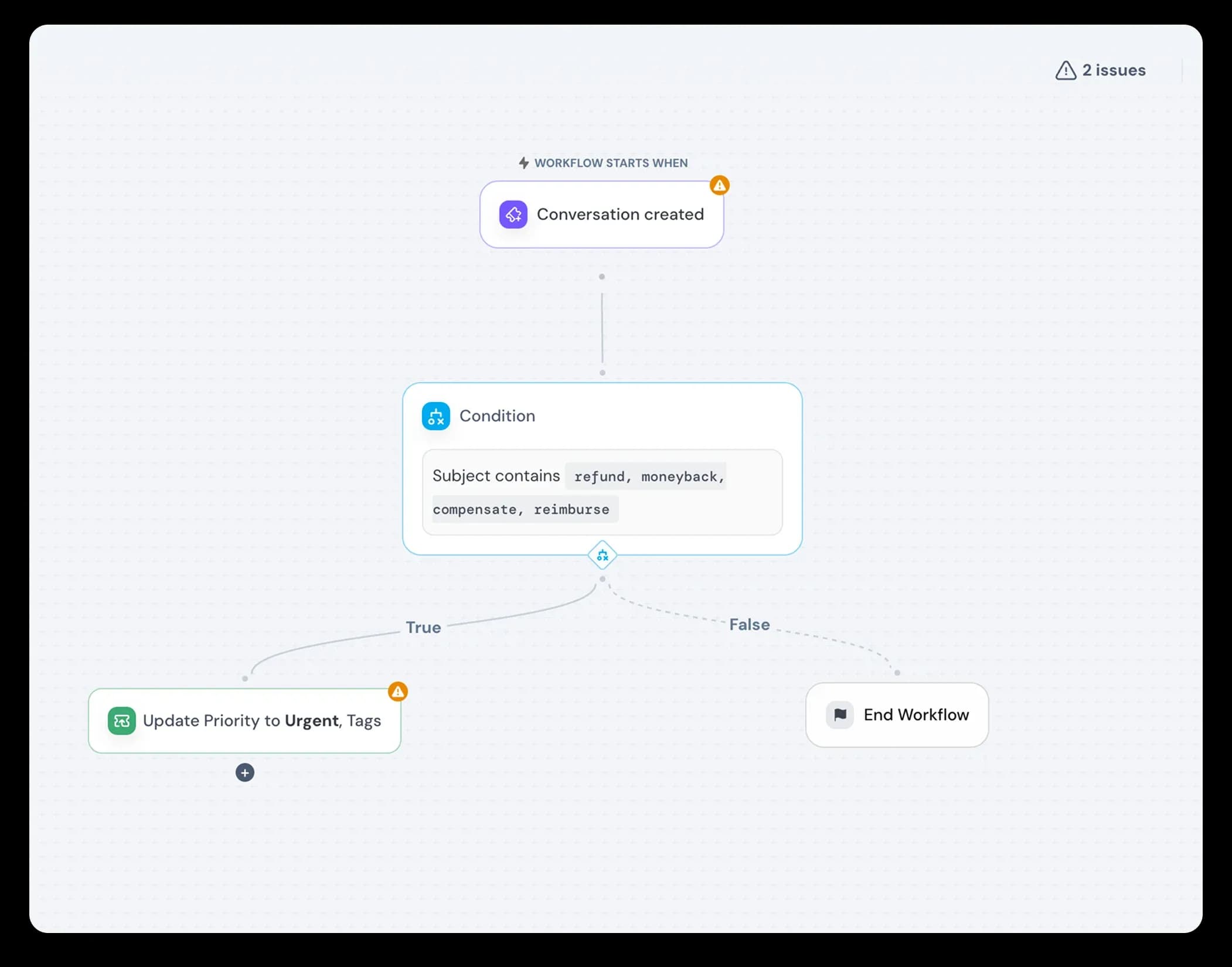
Sequential tasks and operating procedures are commonplace in customer support. Their purpose is to improve the consistency and efficiency of service. But, they end up consuming valuable time and energy that could otherwise be spent helping customers.
Set up workflow automations and let them take care of the repeat work. Workflows automatically execute one or more actions when certain events occur, meeting specified conditions. Choose from our ready-to-use templates, or build your own from scratch with custom triggers, conditional logic, and actions.
The intuitive, point-to-click builder simplifies workflow creation. Admins can easily build and deploy workflows just like flowcharts.
Auto-assign tickets among team members via round-robin

Ensure incoming conversations are attended to faster by automating their assignment. The round robin rule equally distributes the incoming conversations among members in teams, ensuring customers aren’t kept waiting.
Improvements
- Added programmatic support in the chat widget to set contact and conversation fields via code, with strict field-type validation and silent handling of invalid inputs.
- Enabled custom SLA priority ordering by allowing admins to reorder SLA priorities through drag-and-drop controls.
- Enhanced the ticket creation flow with CC/BCC support, email notifications, drag-and-drop attachments, AI-generated subject lines, and integrated Luna AI tools.
- Increased the maximum file upload size for agents to 50 MB to support larger attachments.
Fixes
- Ensured all active user sessions are immediately invalidated after a password change to strengthen account security.
- Enforced robust password policies across frontend and backend, including minimum length, character complexity, and prevention of password reuse.