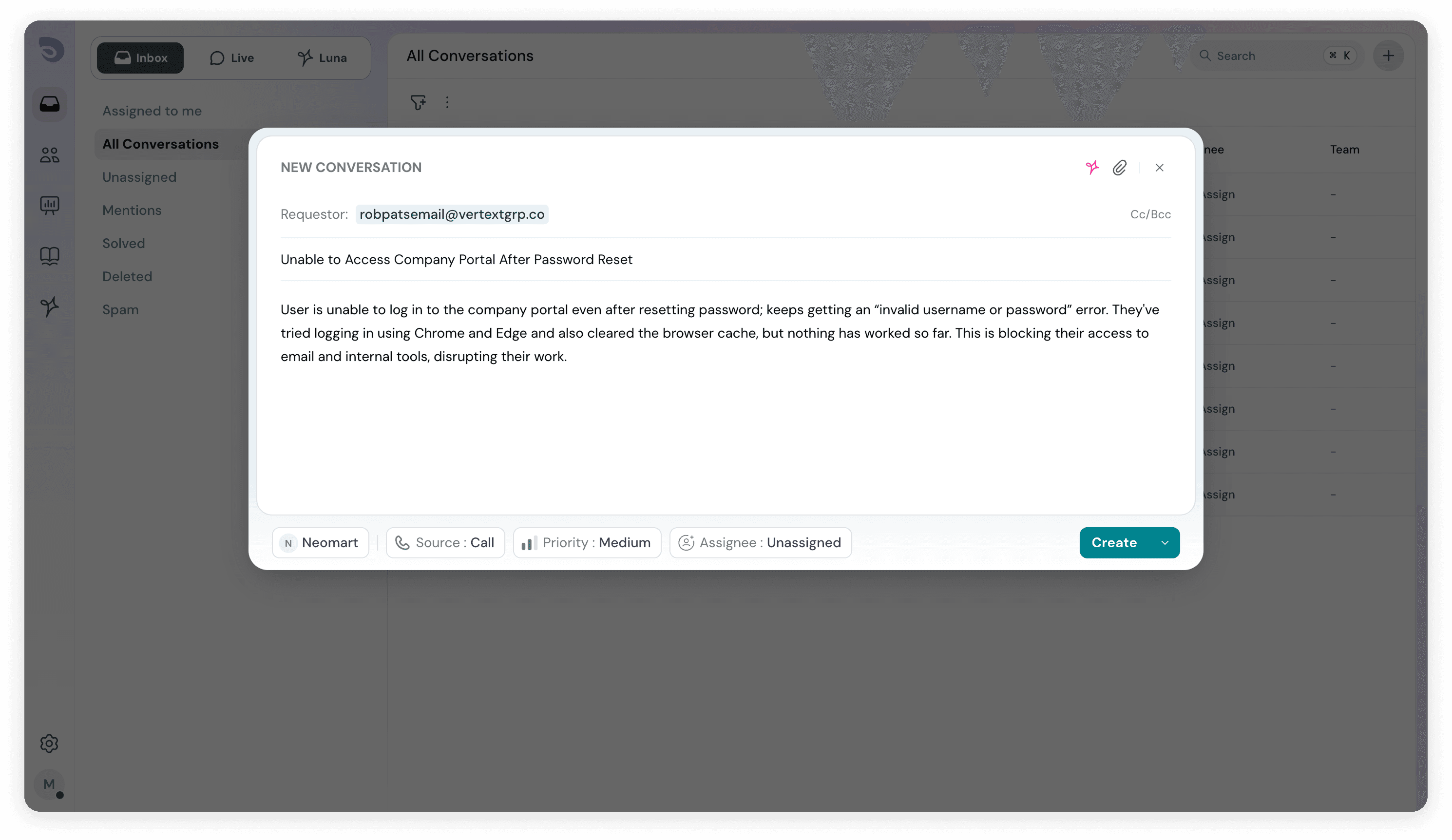
Support teams often create tickets on behalf of customers during conversations. With this update, SparrowDesk now automatically generates a relevant ticket subject using AI when an agent records an issue described by the customer.
The AI analyzes the conversation context at the time of ticket creation and generates a concise, meaningful subject that reflects the customer’s reported issue. This removes the need for agents to manually summarize or name tickets, while keeping records clear and consistent.
Why this matters
- Clear context at creation – Tickets are accurately titled the moment they’re logged.
- Reduced manual effort – Agents don’t have to pause and write subjects themselves.
- Better ticket organization – Consistent, descriptive subjects improve scanning and filtering.
- Smoother handoffs – Automatically generated subjects preserve context during reassignment or escalation.
- Improved reporting – Well-structured subjects make issue trends easier to analyze.
This helps teams capture customer-reported issues more efficiently, keeping the ticket inbox organized and scalable as volumes grow.
Features
- Added support for email-based filtering of contacts and requestors.
Fixes
- Fixed an issue where chat conversation subjects did not display the requester’s full name.
- Resolved an issue preventing source links from opening in AI-suggested replies during live chats.
- Fixed a permission issue where agents could access tickets assigned to other users.
- Resolved a visibility issue where team-assigned tickets were visible to non-team members.
- Fixed workflow time input to prevent decimal values and ensure valid configurations.