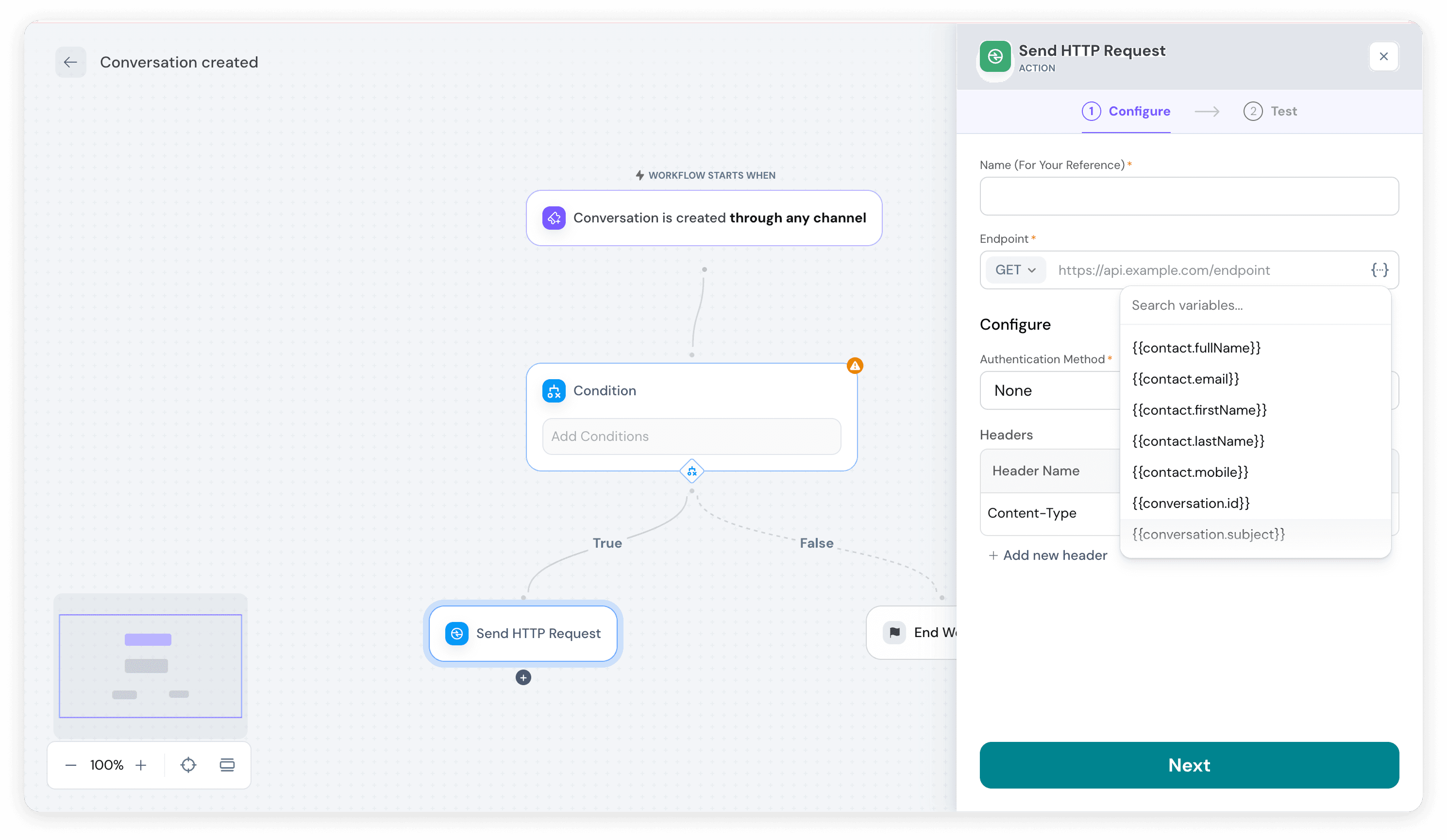
In SparrowDesk, workflows can automatically trigger actions in external tools using HTTP requests. These requests can now include variables such as contact name, conversation ID, ticket subject, or priority, allowing each request to carry specific, dynamic information.
For example, you can create a bug in Jira automatically, with all relevant details —subject, description, priority, and status— populated directly from the ticket. This makes integrations more precise, saves manual work, and ensures that external systems always receive accurate context.
In addition, workflows can now update ticket tags automatically, helping you categorize and manage conversations more efficiently as part of your automation.
Enable SSO for secure, simplified login

SparrowDesk now supports Single Sign-On (SSO), allowing teams to log in using their existing company identity provider instead of separate SparrowDesk credentials.
With SSO, agents can access SparrowDesk using the same account they already use for work, reducing the need to manage additional usernames and passwords. This simplifies onboarding for new team members, improves security, and gives administrators better control over access.
Once configured, user authentication and logout are handled by the identity provider, ensuring consistent access management across your organization while keeping customer data secure.
Improvements
- Chat subjects are now generated automatically using AI to summarize conversations and provide context at a glance.
Fixes
- Fixed HTTP action workflows to correctly resolve placeholders.
- Resolved issues with the “Assign to team” action to ensure tickets route correctly.
- Fixed SLA reminder emails to display accurate time remaining.
- Improved UI consistency by resolving dropdown design discrepancies across the app.
- Corrected SLA application logic so deleted tickets no longer affect metrics.
API Changes
- Added public APIs for creating, reading, updating, and deleting conversations, enabling programmatic conversation management.