


The phone is in SparrowDesk
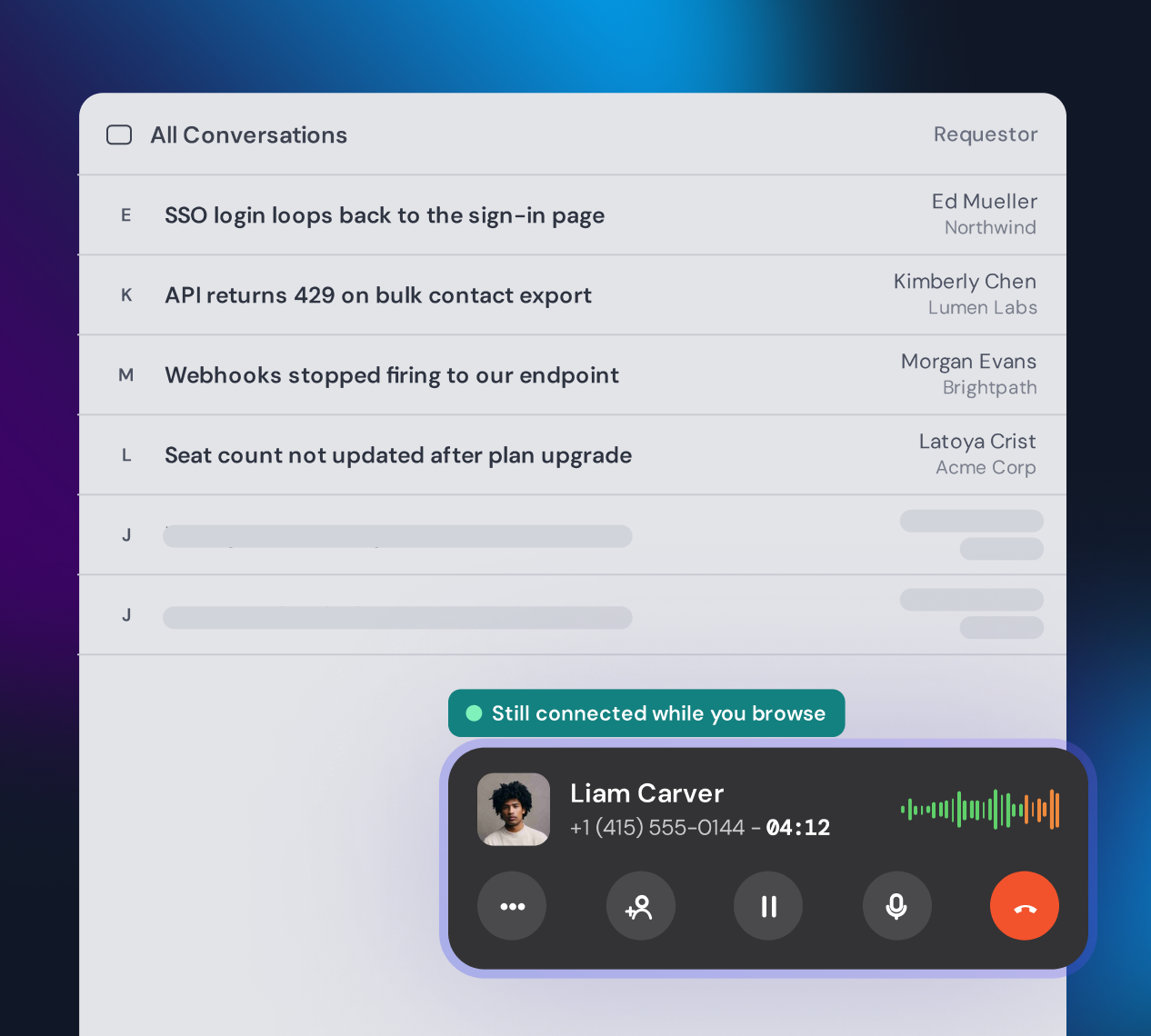
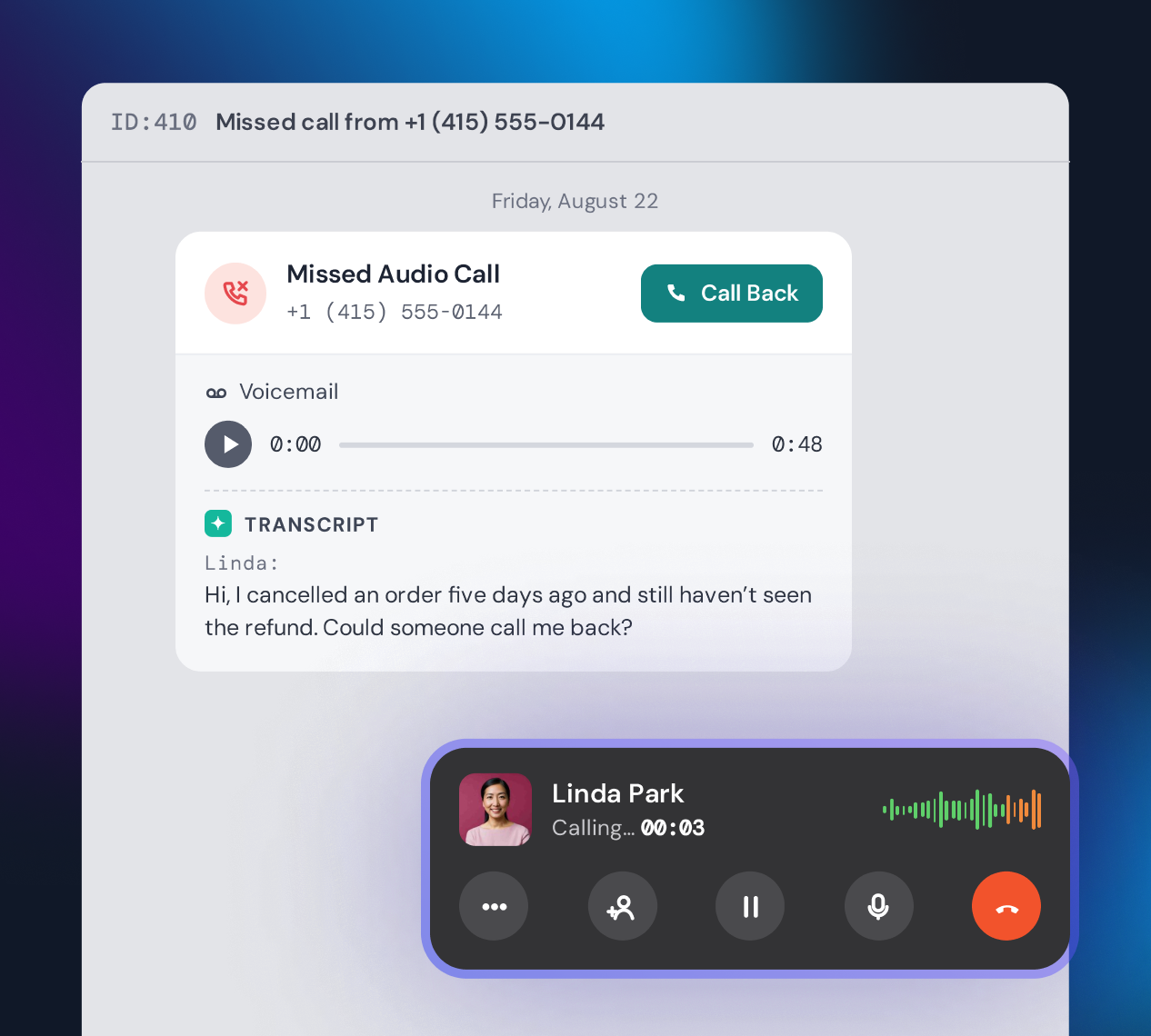
Agents answer and place calls inside SparrowDesk, with nothing to install and no desk phone. The call stays connected as they move between conversations.
Phone calls
SparrowDesk Phone is a customer support phone system built into your helpdesk. Route calls your way, and keep every one with its recording and transcript.
At a glance
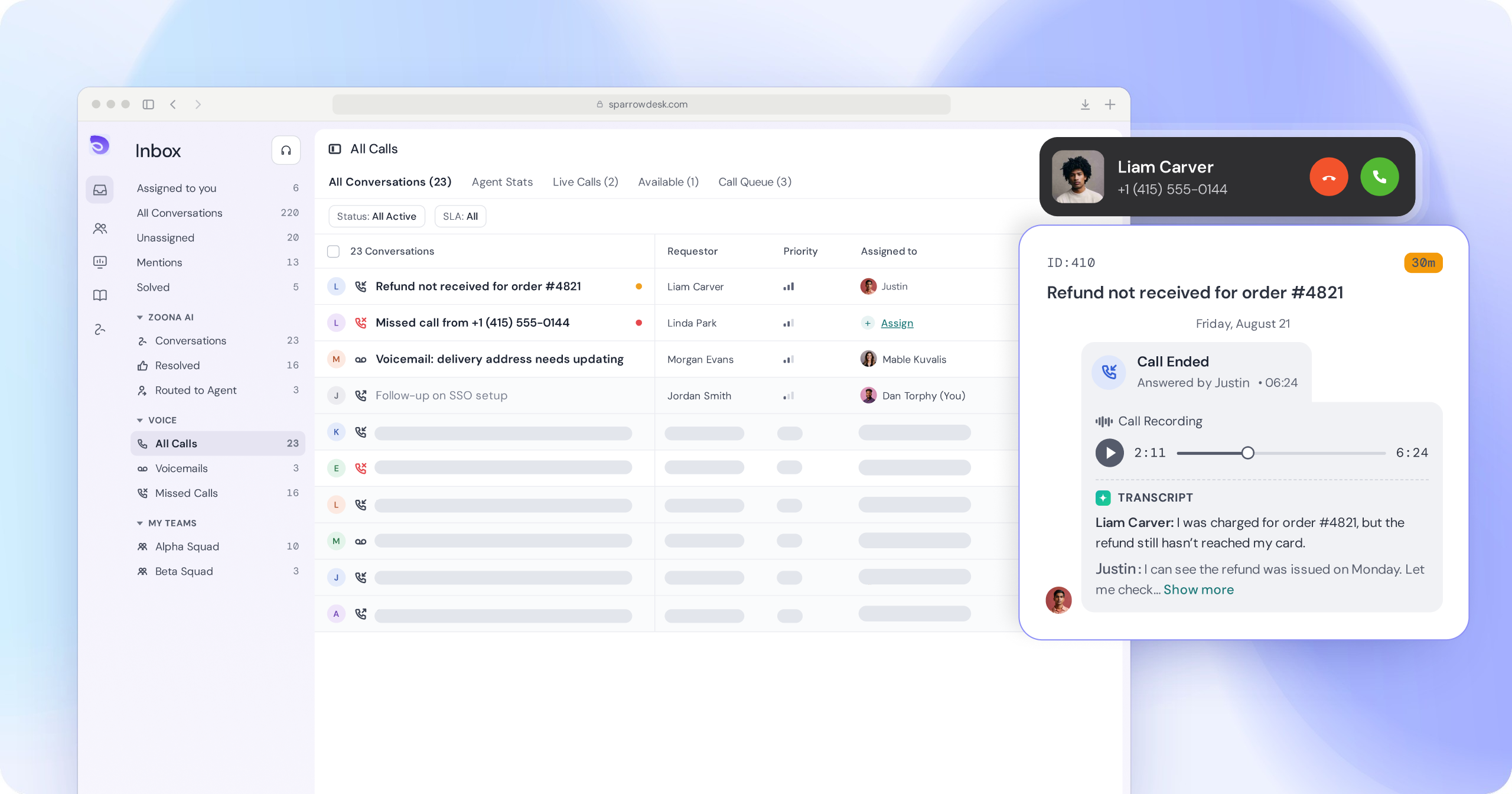
SparrowDesk gives you the numbers and runs the calls. Your team answers in the same inbox they already use for email and chat.
01Route
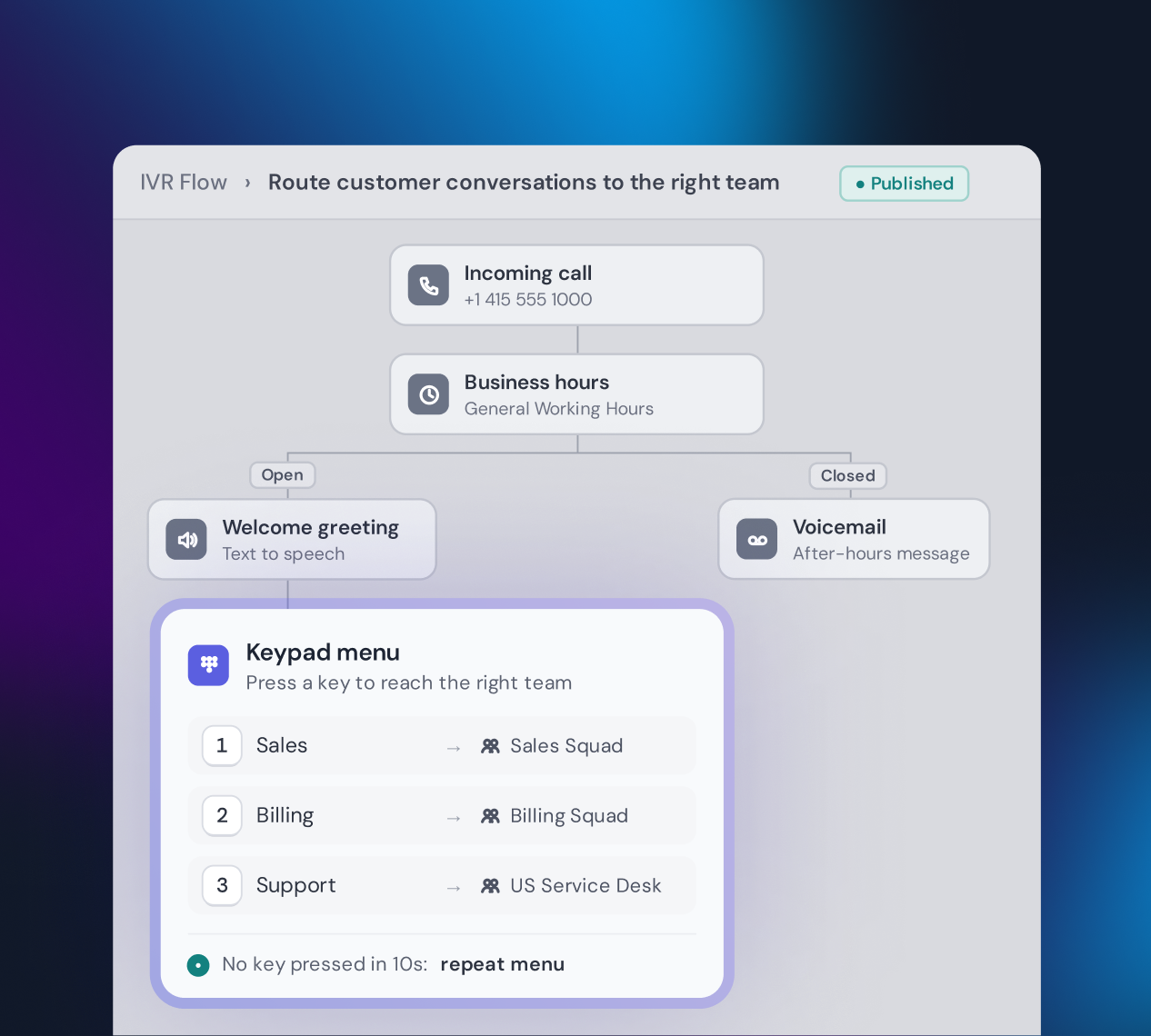
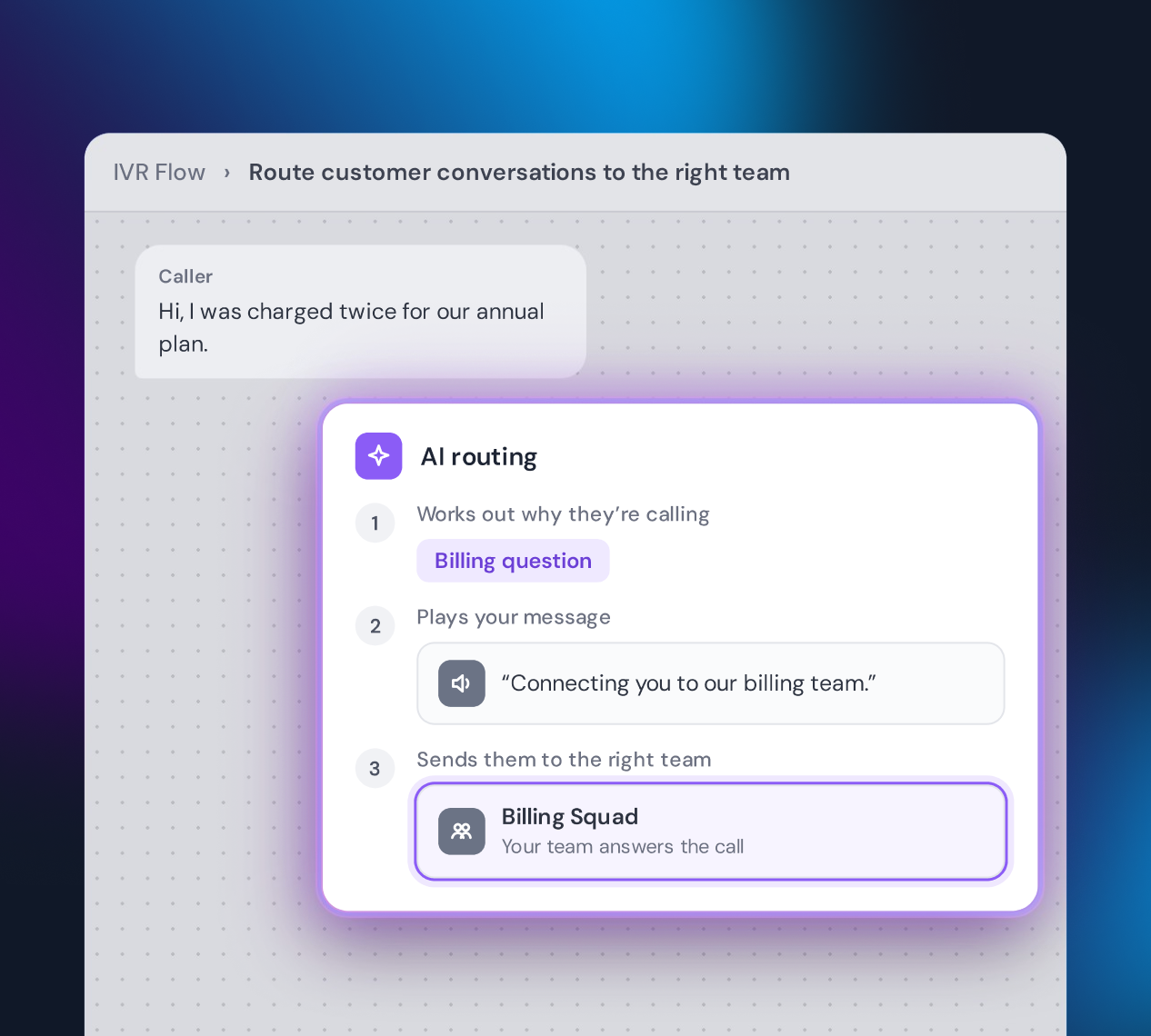
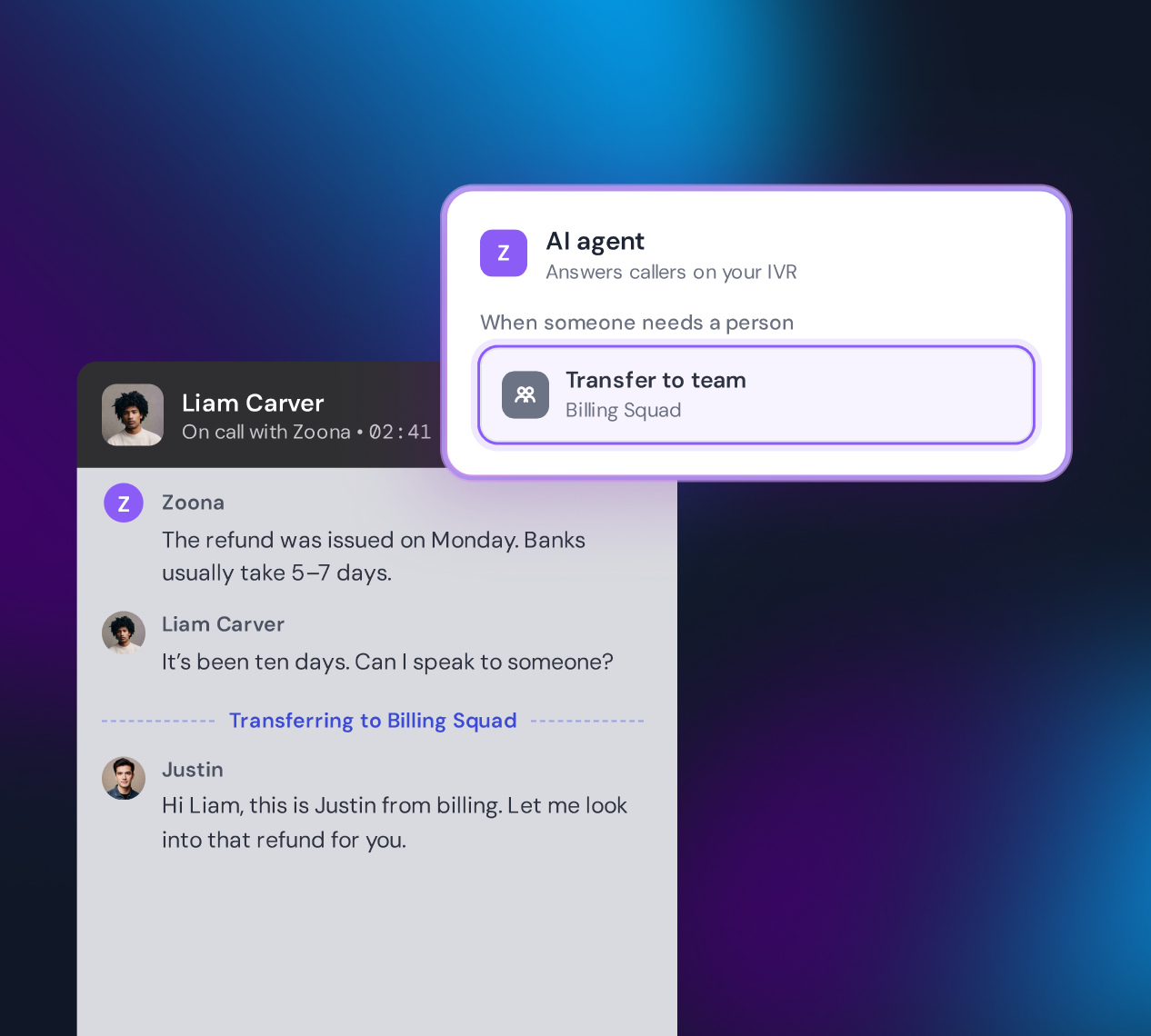
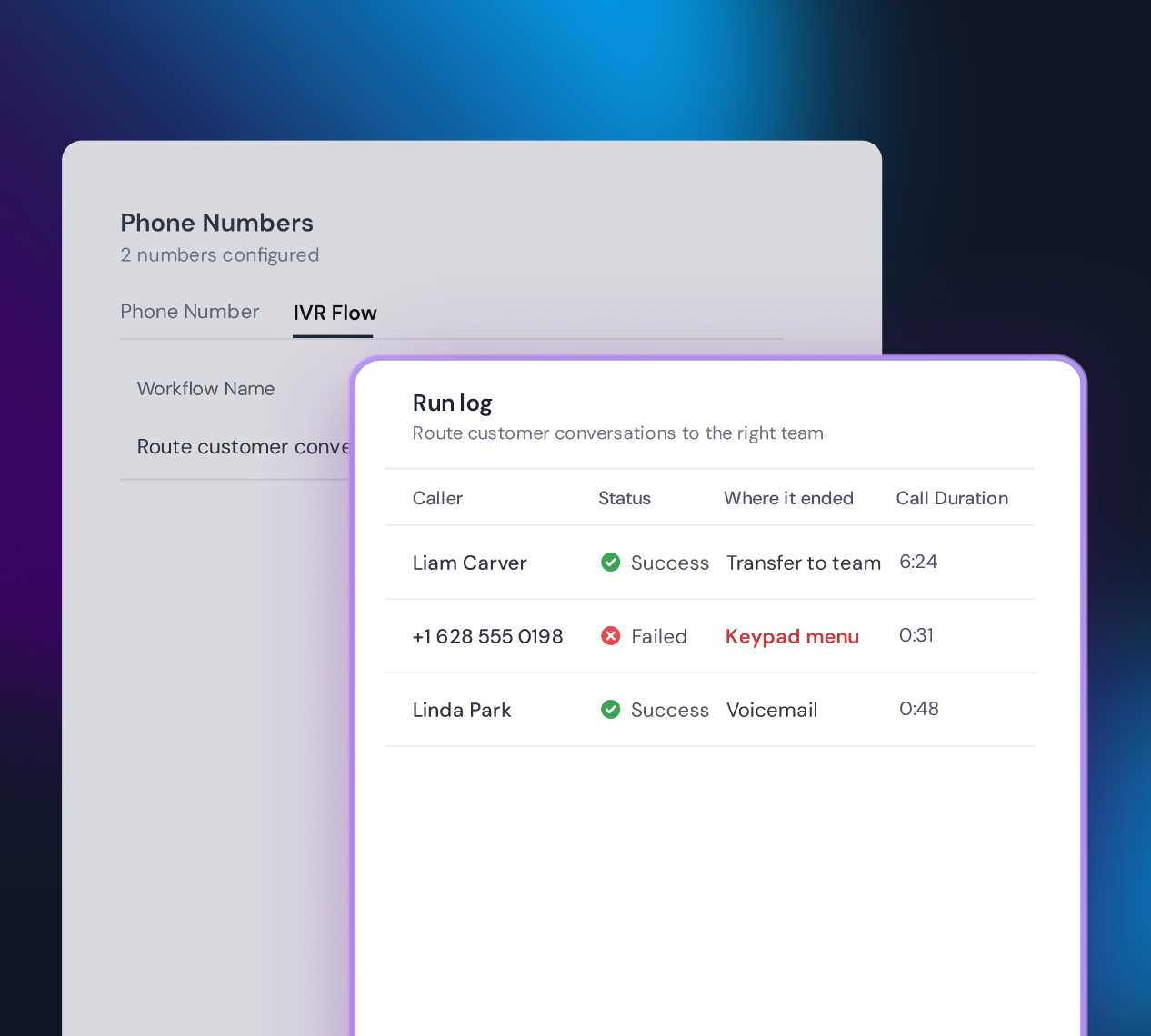
Build the flow yourself, put an AI agent on the front line, and see exactly where every call went.
02Set up
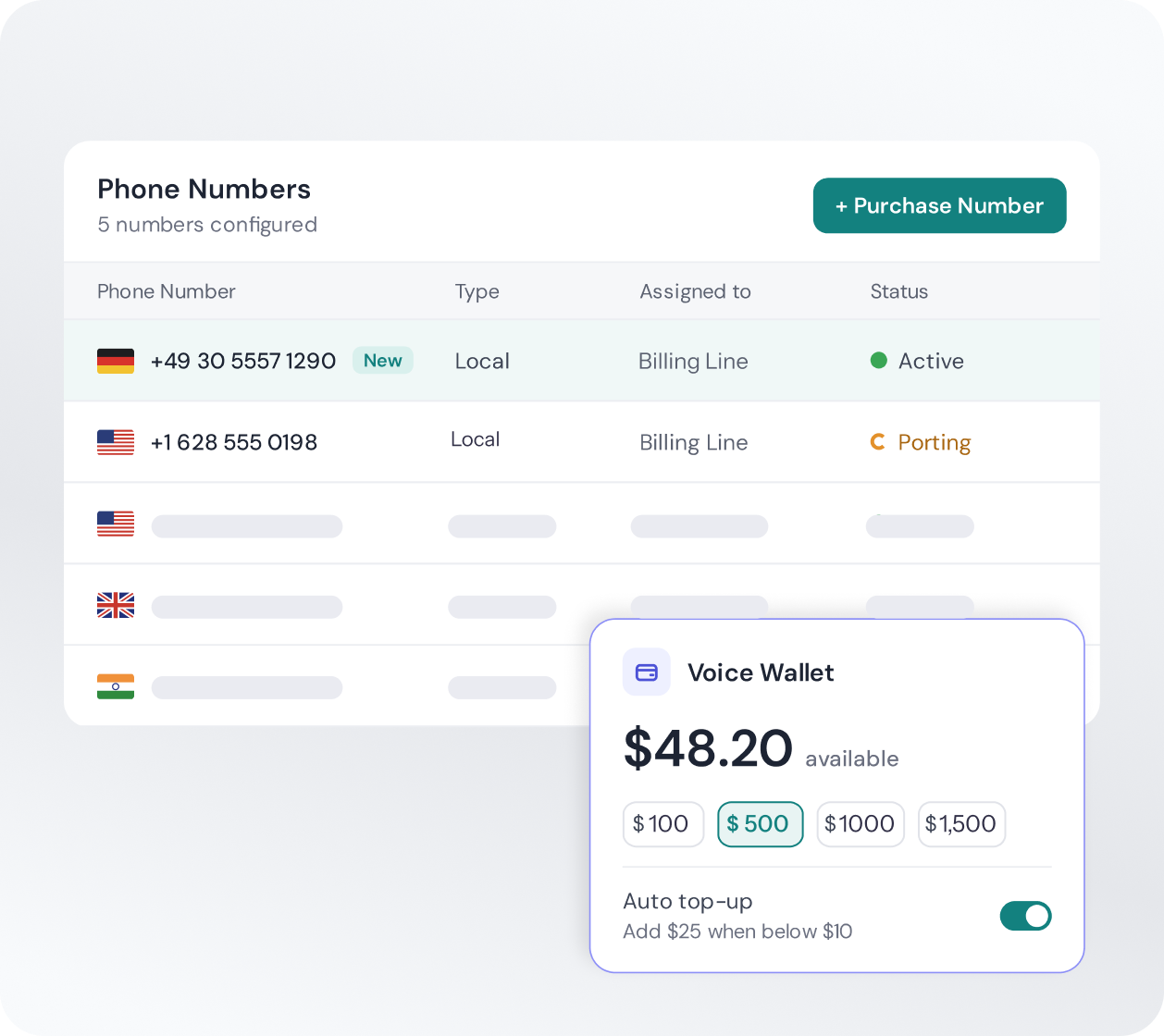
Buy local numbers in 51 countries, plus toll-free and mobile. There's no separate telephony provider to sign up with.
Already have a support number? Our team ports it to SparrowDesk so customers keep calling the number they know.
Top up a prepaid Voice Wallet from $10. Calls are billed by the minute, and a live call is never cut off if your balance runs low.
Pay as you go
Phone isn't a seat add-on. Everything comes out of one prepaid wallet, and the extras are optional and priced per minute, so you turn them on only where they pay off.
You see a number's monthly price before you buy it. Rates for captions, transcripts and the AI agent are published in the SparrowDesk help center.
Top up from$10.00
03Answer
Nothing to install and no desk phones. Agents answer in the browser, right next to the customer's history.
Agents answer and place calls inside SparrowDesk, with nothing to install and no desk phone. The call stays connected as they move between conversations.
Mute, hold or transfer with one click. Add a teammate or an outside number, and follow along with live captions.
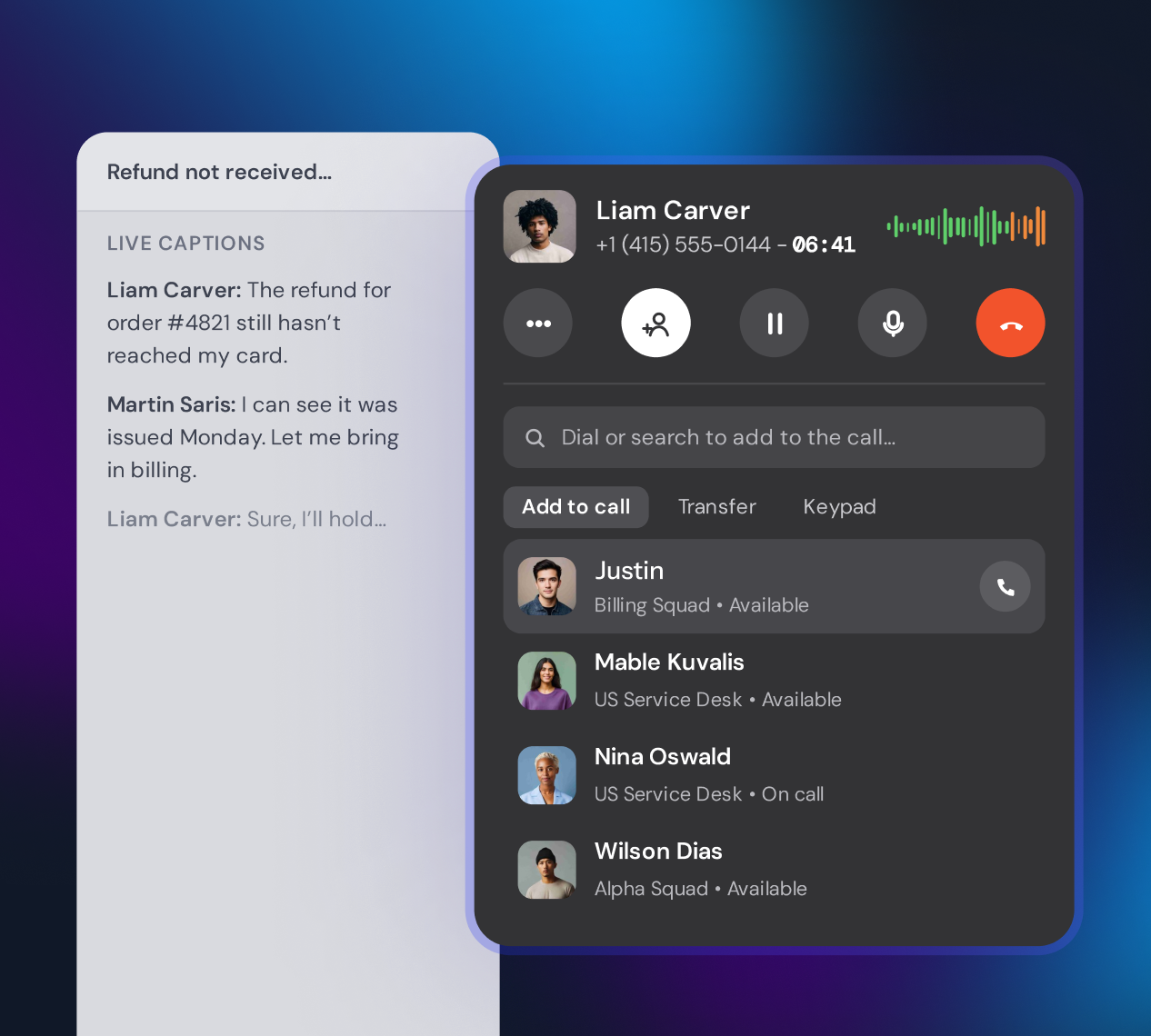
Missed a call or got a voicemail? Call back straight from the conversation, or press ⌘/Ctrl + B to open the dialer anywhere.
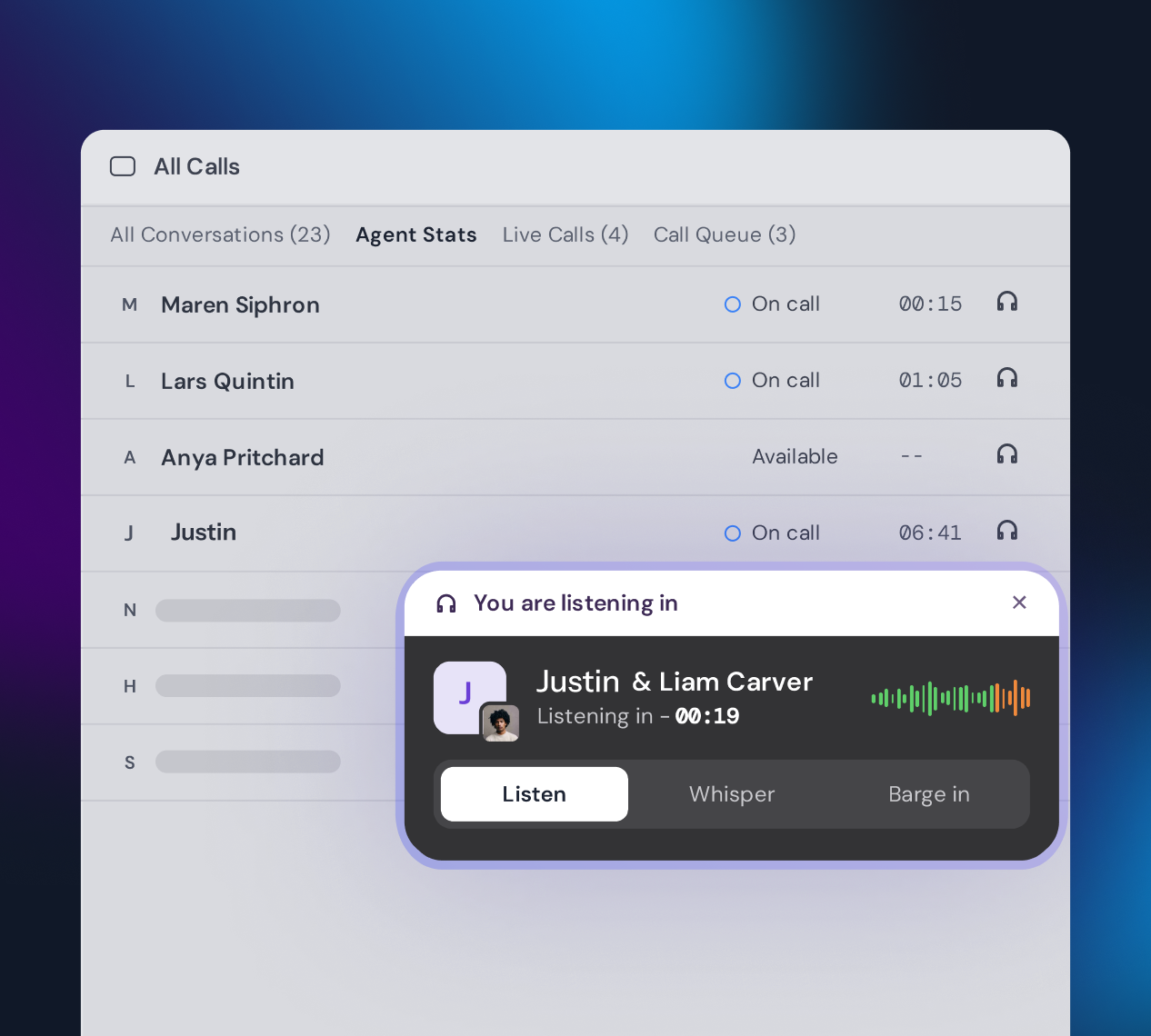
Supervisors see live calls and the queue as they happen, and step in only as far as needed. Each is a permission you grant.
04Remember
Answered, missed or sent to voicemail, every call becomes a conversation in your inbox.
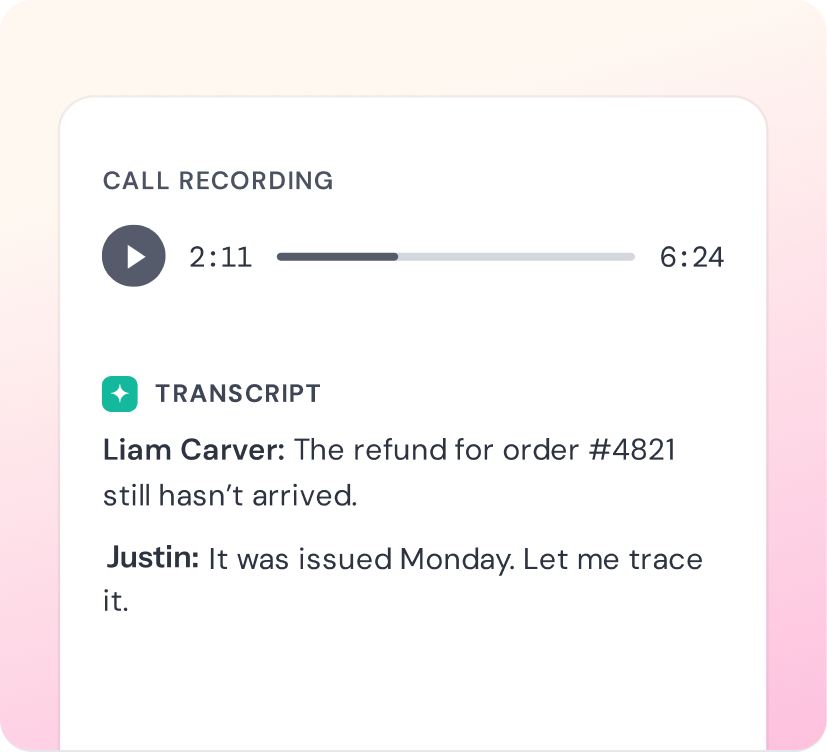
Each call lands in your inbox with its recording and a transcript labeled by the speaker. Callers hear a consent notice first, and you can change it where the law allows.
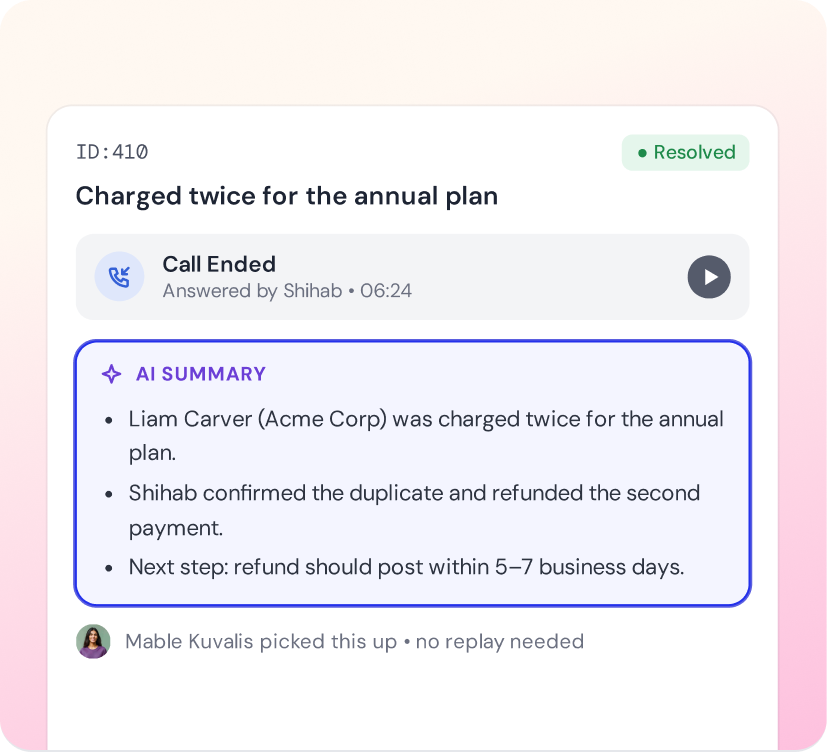
When a call ends, AI adds a short summary to the conversation. The next agent catches up without replaying the recording.
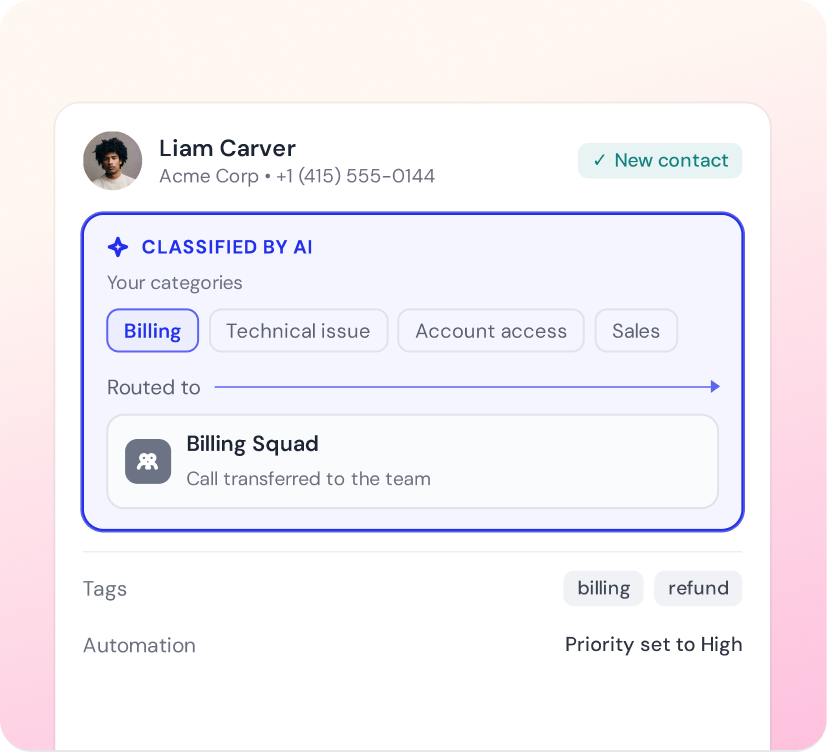
AI classifies each call using the categories you set and routes it to the right team. New callers become contacts, and your tags and automations apply as usual.
See call volume, outcomes, answer times and agent performance in the Voice report.
05Go live
No telephony contract, no desk phones and nothing to install.
Add funds to your Voice Wallet, then choose a country and a local, toll-free or mobile number. Numbers are usually active within minutes.
Settings → Channels → PhoneKeep the default routing and business hours, or attach an IVR flow with menus, an AI agent, queues and voicemail.
Agents allow microphone access and they're ready. Their status updates on its own: Available, On call or Offline.










06Questions
Answers to what support leads ask most before they start taking calls in SparrowDesk.
Want to see it on your own call flow?
No. SparrowDesk supplies the phone numbers and runs the calls, so there's no separate telephony account to set up or pay for.
Local numbers are available in 51 countries. Toll-free and mobile numbers are available in fewer countries. Some countries and number types ask for an address or ID documents before a number can go live.
Yes. Contact our support team and they'll port your number to SparrowDesk, so customers keep calling the number they know.
Pay as you go from a prepaid Voice Wallet. It isn't a seat or plan add-on.
No. Calls ring in the SparrowDesk web app. Agents only need a headset or microphone and to allow microphone access in their browser.
Recording is on by default, and callers hear a consent notice first. Where the law allows, you can set a number to "No consent needed" or turn recording off. Recordings can be played or downloaded from the call's conversation.
The IVR language menu supports 12 languages: English (US, UK), Spanish (US, Spain, Mexico), French (France, Canada), German, Italian, Portuguese (Brazil), Dutch and Hindi. Live captions and transcripts are English only for now.
Yes. The Voice report under Reports shows call volume, outcomes, answer times and agent performance. On plans with data export, admins can also export up to a year of calls to CSV.
Set up SparrowDesk in minutes, not months. No credit card needed. Just a better way to run support from day one.